4
Calendar
4.4
Tasks
Create a Task
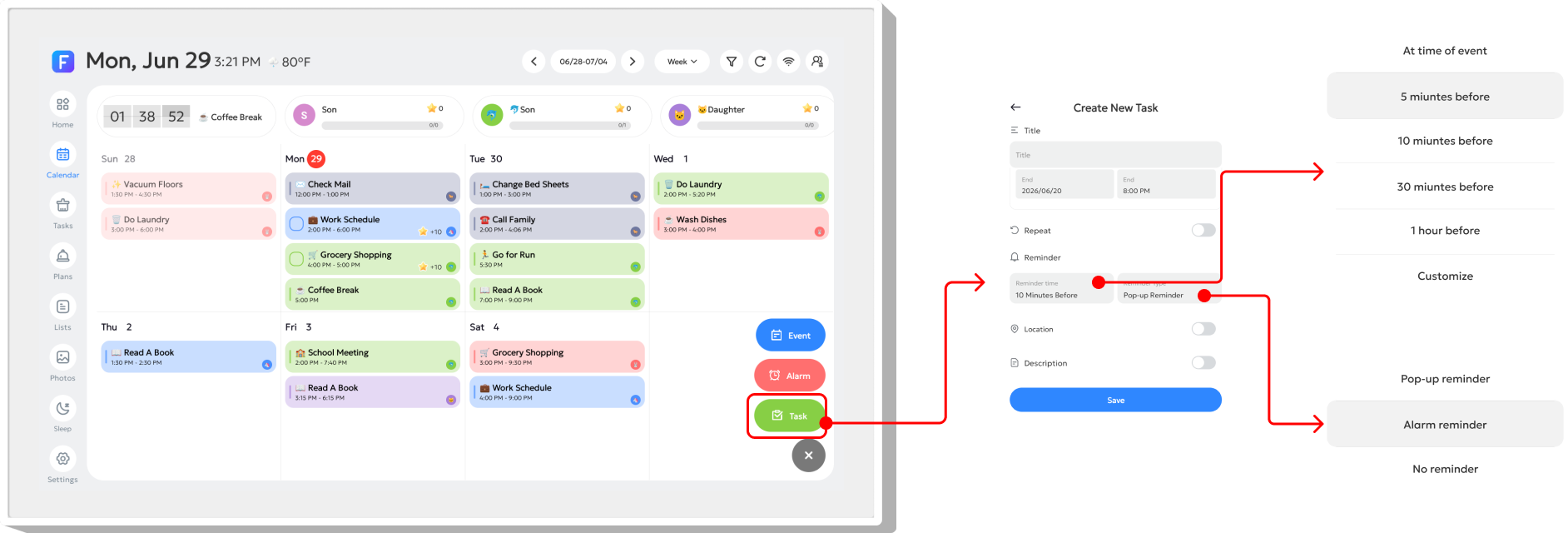
Tap the "+" button in the bottom-right corner, then select "Task". In the pop-up window, you can edit the details, set the start/end time, customize the reminder time under "Reminder", choose a reminder type under "Reminder Method", and add notes in "Description".
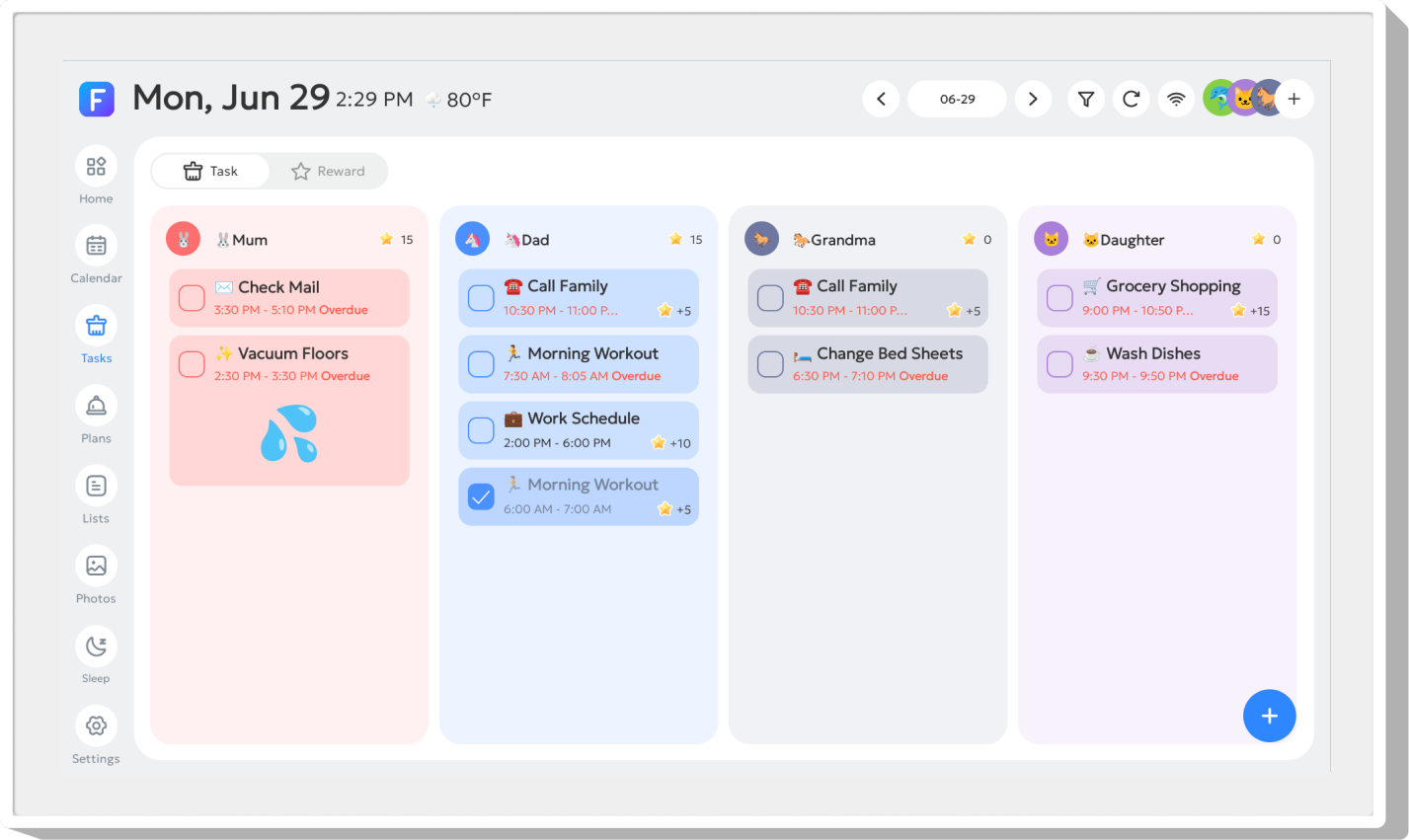
The Task page displays each member's to-do list. Habit Plans are also shown on this page.
Tip: Long-press a member's name at the top of the list to move the list and change the display order.
Edit the Task
Click on the To-Do item to edit the content.
Complete a Task

Click the rectangular button on the left to complete the task.
Task Reminder
Overdue tasks will trigger pop-up reminders.